Finding a seller or a specific item
← Previous · Guide home · Topic index · Download PDF · Next →
To investigate a known seller or listing, use the seller shortcut or the exact item-ID field. This example shows a result with additional information visible.
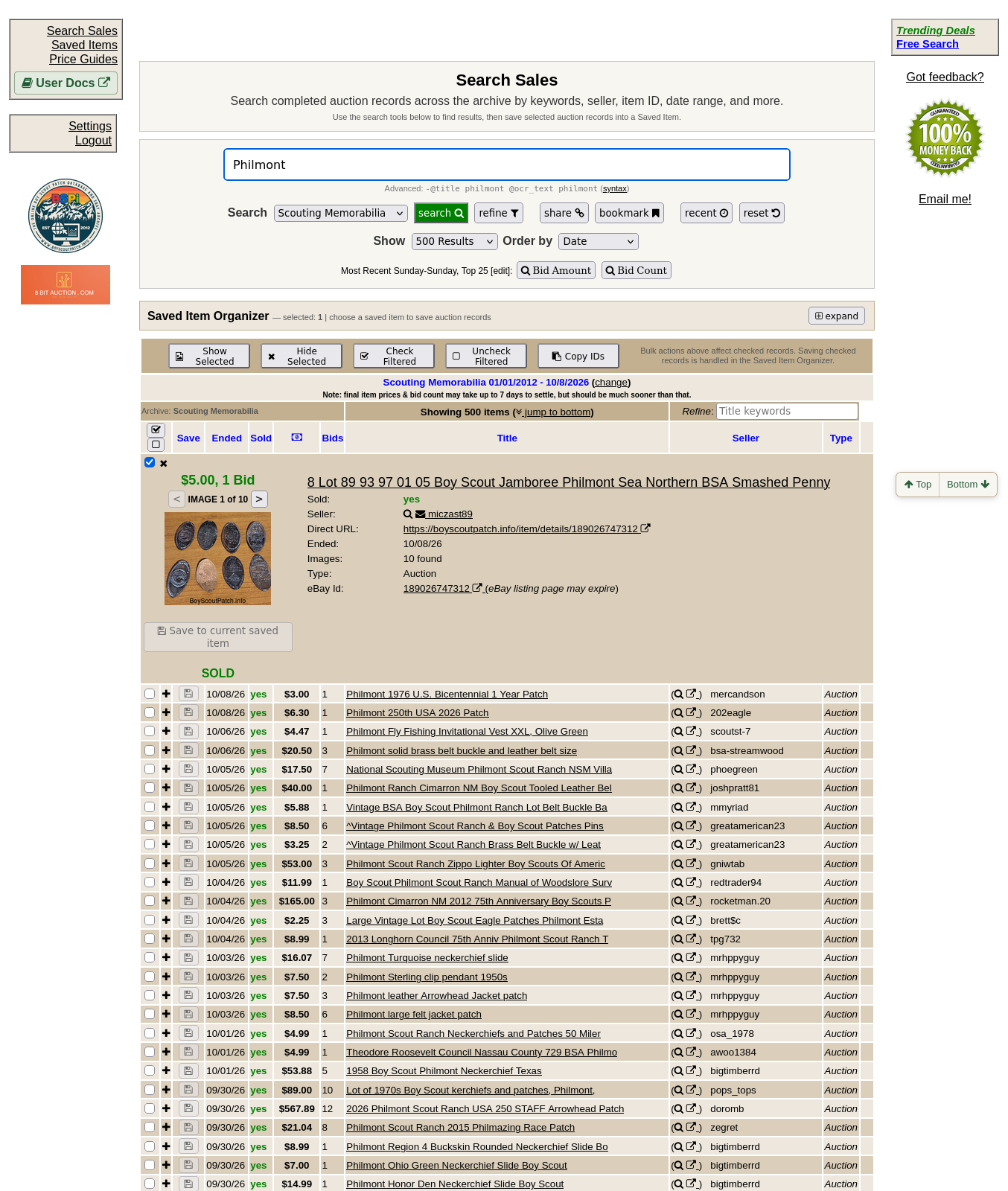
An expanded result provides the seller name and a direct item link. Use the seller search icon to filter by seller, or enter a known item number in Refine to look up a specific record.
Continue below for step-by-step instructions and examples ↓
BSPi lets you search by seller name and by marketplace item ID. These are useful when you already have a listing or want to examine records from one seller.
Click the seller search icon
In Search results, the Seller column shows a small magnifying-glass button next to a separate external-link icon. Clicking the magnifying glass adds that seller's username to the Seller(s) search filter and immediately runs a search. If a seller filter is already present, BSPi appends the new seller name rather than replacing it.
The external-link icon is different: it opens BSPi's seller-related eBay link. Do not confuse it with filtering the archive by seller.
To search by seller manually, open Refine → Listing Filters → Seller(s) and enter one or more seller IDs separated by spaces or commas. Clear the seller filter when returning to a general search; otherwise you may continue seeing only that seller's records.
Find a specific item ID
Each BSPi item record has an eBay item ID. You can find it in the Item Details section of an individual record, alongside a shareable BSPi URL.
To search by ID, open Refine → Listing Filters → Item Id(s) and enter one or more IDs, separated by spaces or commas. Then run the search. This is more precise than searching for words from a listing title.
Important: In Search results, the title links to the item-details page; the item ID is not shown as a separate clickable search shortcut in the compact result row. Use the dedicated Item ID(s) field for an exact ID search.
When to use these features
- Buyer: identify the exact listing you're evaluating, then compare other historical sales.
- Seller: examine past sales by a particular seller, while remembering that seller history alone does not determine an item's value.
- Inherited collection: use known item IDs from previous research notes to retrieve the exact evidence again.