Understanding an individual item record
← Previous · Guide home · Topic index · Download PDF · Next →
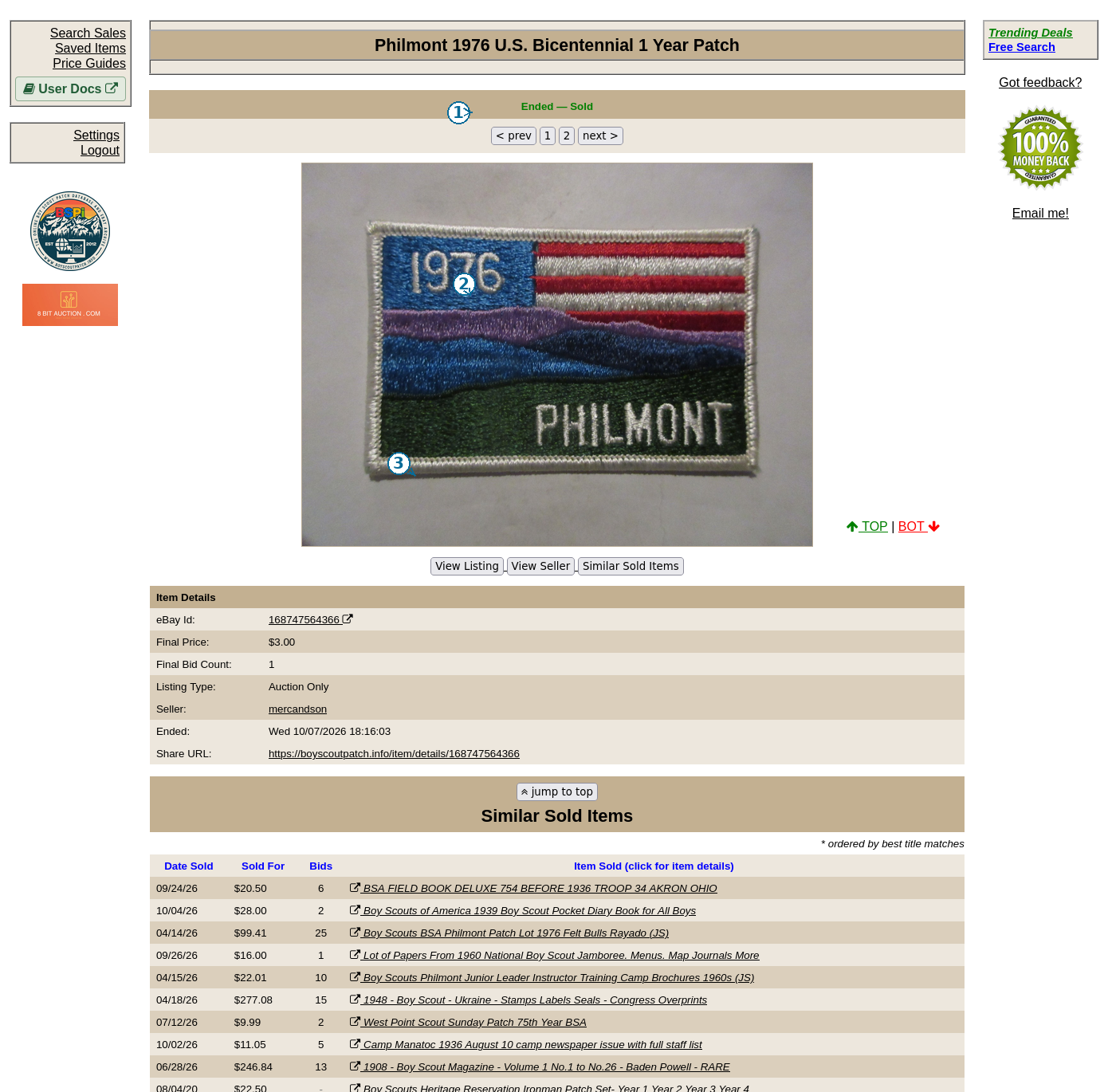
An individual record brings the photographs and transaction details together. The numbered screenshot identifies the controls you will encounter.
Continue below for step-by-step instructions and examples ↓
A Search result is a starting point for examining the evidence behind a historical marketplace transaction. Before comparing a price with your own collectible, inspect the individual record and any available photographs.
Remember that one historical sale is evidence, not a guaranteed current valuation. See Understanding historical prices.
Access and browser-session note
The results table's title links point to /item/details/<item-id> and request a new browser tab. Opening an item-details URL in a fresh unauthenticated browser session returned the public BSPi homepage in our test. Therefore, the item-page layout must be documented from an authenticated session; a direct URL alone is not sufficient evidence of what a subscriber sees.
Item-page layout
The individual item page displays a sale-status banner: Ended — Sold, Ended — Not Sold, or Ended — Final Status Unknown, depending on the record. Its photograph area supports < prev, numbered image buttons, and next > when multiple images are available. Clicking the displayed photograph opens the current original image in a new tab.
Below the photographs, the page provides View Listing and View Seller links. Bid History and Similar Sold Items links appear when corresponding records exist. The Item Details section includes eBay item ID, final price, bid count when applicable, listing type, seller, ended date, and a shareable item URL. Other fields and historical sections may be conditional.
If the archive has no images for the item, the page displays a No images found message with a support email link. Photograph availability can vary among historical records.
Philmont item example
An authenticated browser session successfully opened a Philmont patch record with two images, Ended — Sold status, final price, bid count, listing type, seller, ended date, share URL, and a Similar Sold Items section. The page's image buttons are numbered, with previous/next navigation. The displayed photograph links to the full image in a separate tab.
Similar Sold Items are leads, not appraisals
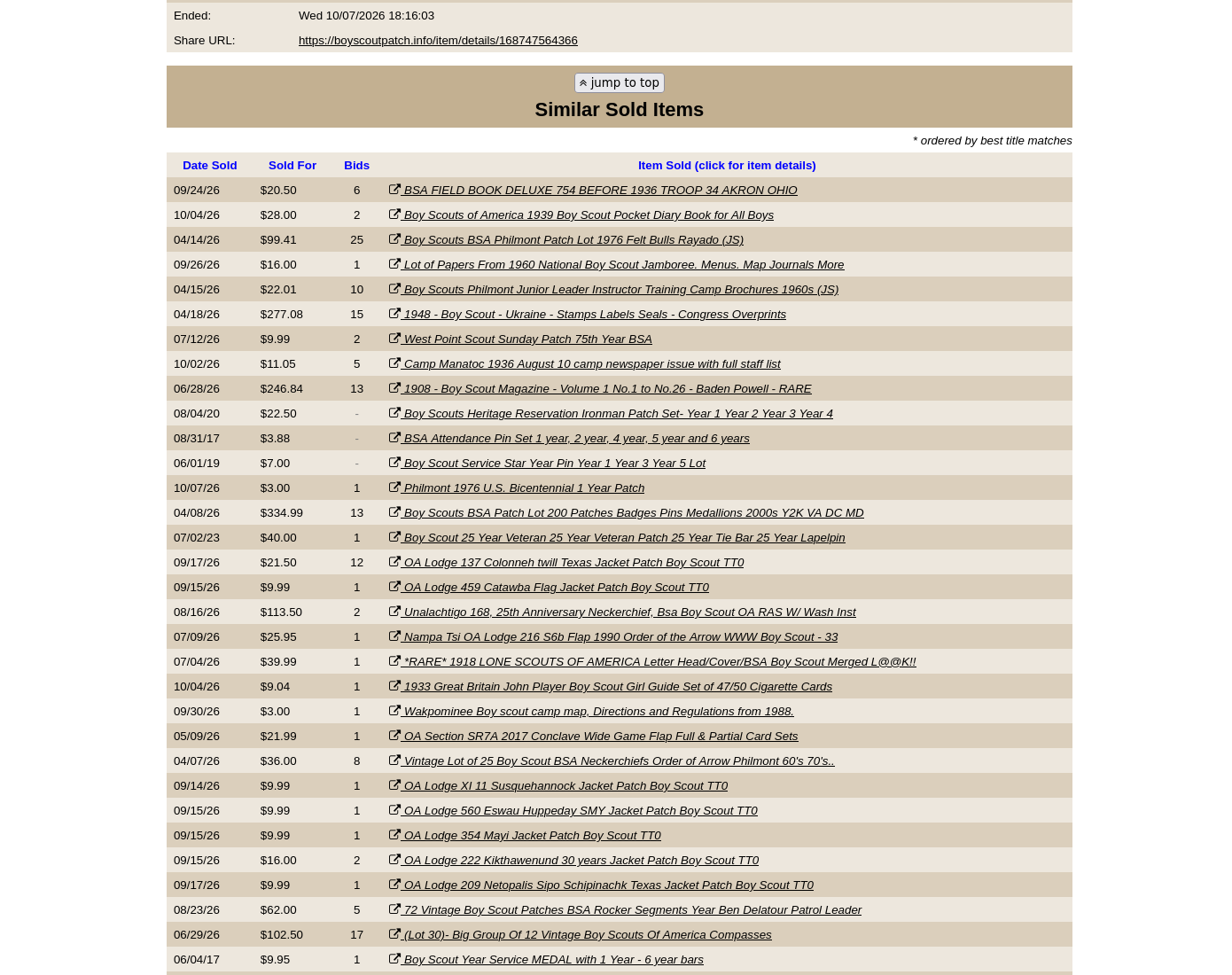
The Similar Sold Items section is described on the page as ordered by best title matches. In the updated Scouting-index example, suggestions are drawn from Scouting-related records but still include different kinds of memorabilia. Do not assume every suggested result is a comparable item. Inspect the item description, photographs, condition, and lot composition before comparing prices.
Why suggestions may not match your item
When opened from a Scouting search, suggestions use the Scouting index but still rely on broad title matching. They may include unrelated Scouting books, pins, patches or lots. A legacy direct item URL without a search index can still use broader matching. Verify the issue, condition, and sale type before treating a suggested result as a comparable sale.