BSPi Users Guide
  • Home

Common Use Cases

  • Choose a use case
  • Childhood items
  • Inherited collection
  • Estate and insurance
  • eBay buyer
  • eBay seller
  • Bargain hunter
  • Serious seller
  • Topic Index
    • Search screen reference
  • Screenshot Tour

Advanced Search

  • Search Syntax and OCR
  • Refine Search
  • Search fields and filters

Getting Started

  • What to expect
  • Signing in
  • Your first search
  • Understanding prices

Search Tools

  • Search interface
  • Search efficiencies
  • Seller and item ID
  • Navigating results
  • Image previewer
  • Individual item records
  • OCR image-text search

Advanced Features

  • Overview
  • Price Guides
  • Saved Items
  • Saved Item sales data
  • Market Analysis charts
  • Image Annotation
  • Price Guide proof and PDF

Account and Support

  • Account Settings
  • Password reset
  • Membership and payment
  • Cancellation
  • Getting help
  • About BSPi
BSPi Users Guide
  • Topic Index

Index of topics

← Previous · Guide home · Topic index · Download PDF · Next →

A quick reference to the subjects covered in this guide. Each topic appears once; choose a subject to open its instructions. For task-based examples, start with Common Use Cases.

Topic
Account settings
Advanced keyword and OCR syntax
Advanced research features overview
Annotating archived photographs
Bargain hunting
Billing, membership and payments
Buying on eBay
Cancellation and renewal
Charts and market analysis
Childhood Scouting finds
Creating Price Guides
Desktop and mobile use
Estate and insurance research
Historical prices and comparisons
Image previews and photo slideshow
Individual item records
Inherited collections
Login and password recovery
Managing Saved Item sales data
OCR and image-text searching
PatchTrends.com and BSPi history
Price Guide proofs and printable PDFs
Results, sorting and navigation
Saved Items and selecting records
Saved Items: creating and organizing
Search fields, filters and Refine
Seller and item ID searches
Selling on eBay
Serious seller workflows
Support and troubleshooting
Visual tour for prospective members

Search screen reference

The screenshot below shows where members begin searching. For individual controls and annotated examples, see Navigating results.
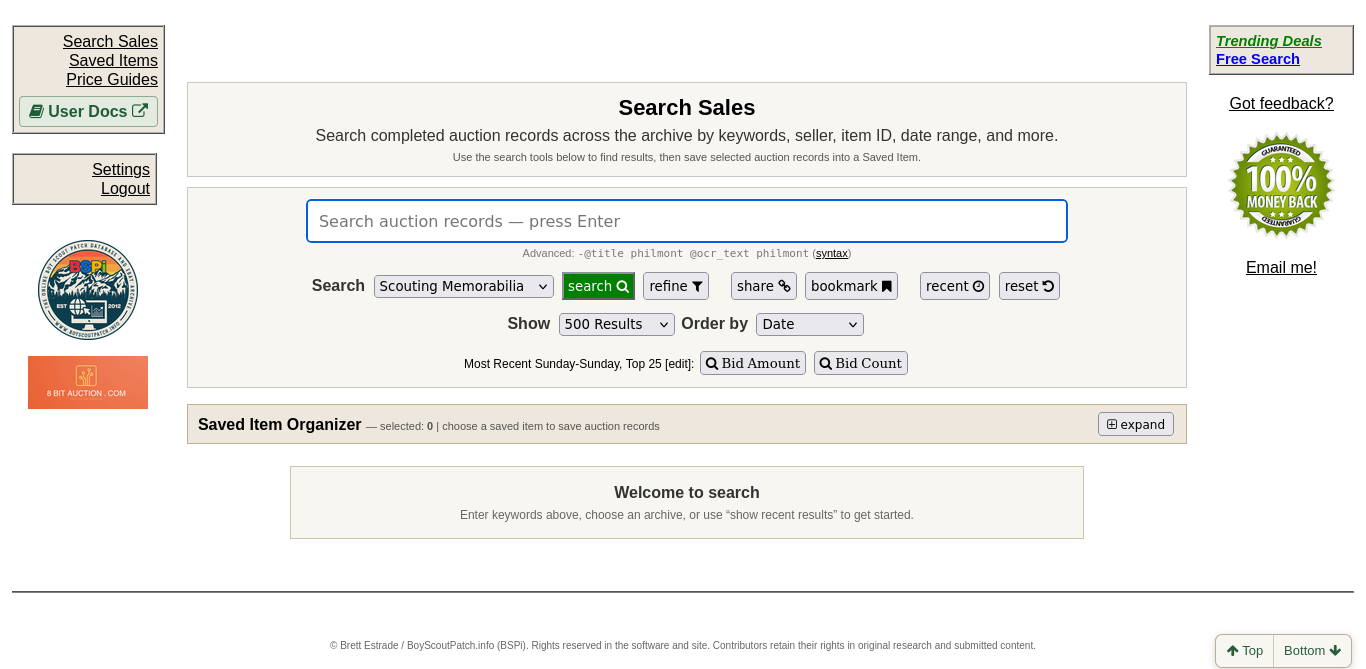
BSPi Search Sales screen

Enter a keyword in Search Sales, or open Refine for additional filters. The linked topics above explain each workflow in detail.

← Previous Next →

© Brett Estrade / BoyScoutPatch.info (BSPi). Rights reserved in the software and site.

« Previous Next »