Creating and organizing Price Guides
← Previous · Guide home · Topic index · Download PDF · Next →
Price Guides group related Saved Items into a larger collecting reference. Begin with a collecting subject, decide what belongs in it, and use the guide editor to organize the Saved Items you have already assembled.
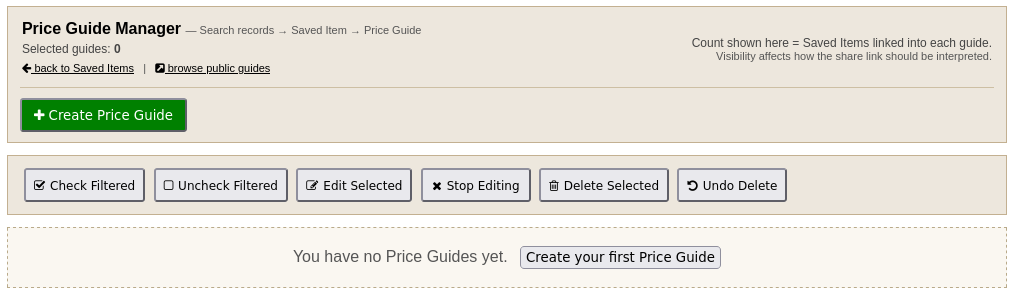
The Price Guide Manager is where you create a guide, organize existing guides, and control their visibility. In this example the documentation account has no guides yet, so the creation button is prominent.
Continue below for the steps and examples ↓
Understand the three levels
- Historical sale record: a completed marketplace listing found through Search Sales.
- Saved Item: a member-organized group of related historical sale records.
- Price Guide: a collection of related Saved Items, arranged for browsing or publication.
The Price Guide Manager explicitly describes the workflow as Search records → Saved Item → Price Guide. Creating a guide does not itself populate it with historical sales.
Start a guide
From the member navigation choose Price Guides, then Create Price Guide. Enter a clear Guide name and Description that explain what belongs in the collection. Choose Visibility (private, member only, or public), then set the Order numbers if you want to arrange multiple guides. The manager sorts by major order first, then minor order. Review the visibility choice before sharing a guide link.
Use a subject that can be consistently identified in historical listings; avoid mixing unrelated items merely because their titles share a word. An empty guide is a useful starting point, not a price guide with sales evidence.
Once the guide exists, open its manage link to associate Saved Items with it. The guide editor provides ordering controls for those Saved Items, separate from the order of guides in the manager. Review the membership and sharing settings before distributing a link.
A sound sample collection
For a Philmont-themed guide, first distinguish cloth patches from belt buckles, books, pins, and multi-item lots. Make a Saved Item for each genuinely identifiable issue or type. Add historical sales to those Saved Items only when the photographs and titles support the identification. The number of sales is not the number of distinct collectible issues.
Continue with Creating Saved Items, then return here to assemble the guide.