Account Settings
← Previous · Guide home · Topic index · Download PDF · Next →
The Settings area groups account information into separate tabs. Identify the tab you need before changing anything.
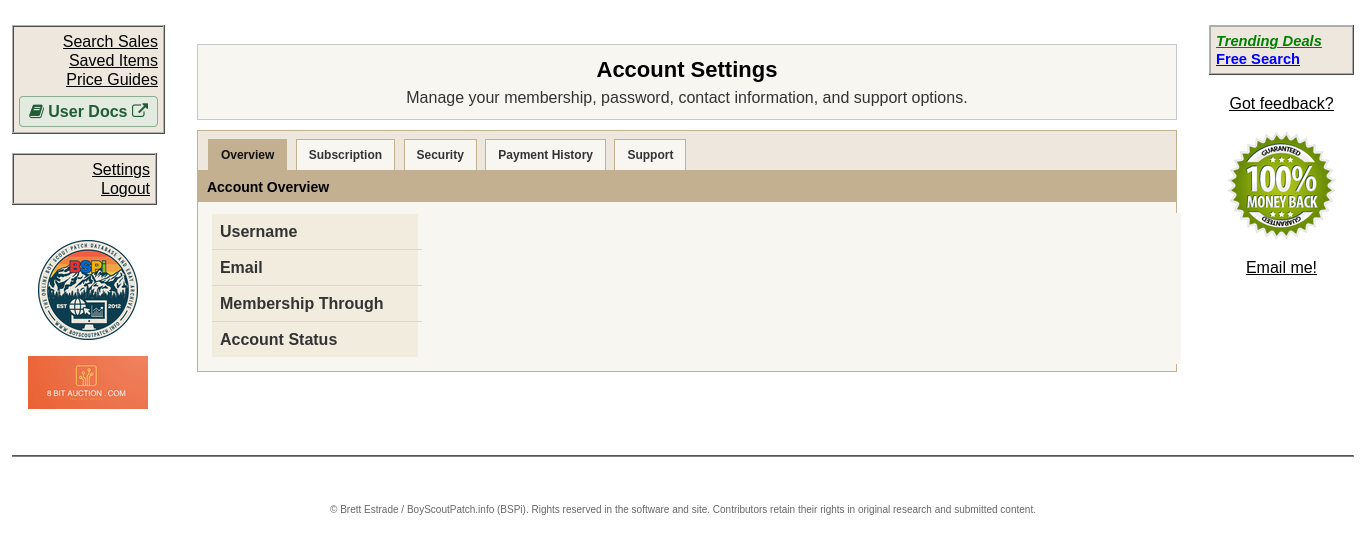
The Settings page groups membership, security, payment history, and support into separate sections. Select the section that matches what you need to manage.
Continue below for step-by-step instructions and examples ↓
After signing in, choose Settings from the top navigation. The page is organized into Overview, Subscription, Security, Payment History, and Support sections.
Overview
The verified Overview screen shows your username, account email, Membership Through date, and Account Status. It also offers a request change link beside the email address. Check your membership date here if you are unsure when access is scheduled to expire.
Use the relevant tab for subscriptions, security, payment history or support. Confirm any payment-related change through the provider's confirmation.
For assistance, see Getting help. For sign-in trouble, see Resetting your password.
Other Settings tabs
- Subscription includes payment/subscription information, access-through date, renewal, and cancellation information. The Subscription section states that access continues through the displayed membership expiration date after cancellation.
- Security provides fields for current password, new password, and confirmation. The template states that the new password takes effect on the next login.
- Payment History displays a PayPal payment-history section when applicable.
- Support displays the support email address and an additional phone/text option marked for urgent use or after other support avenues have been exhausted.
For cancellation instructions, see Canceling or managing a subscription.