Searching text found in item photographs (OCR)
← Previous · Guide home · Topic index · Download PDF · Next →
OCR searching uses text extracted from photographs. The screenshot shows the field controls for this experimental capability.
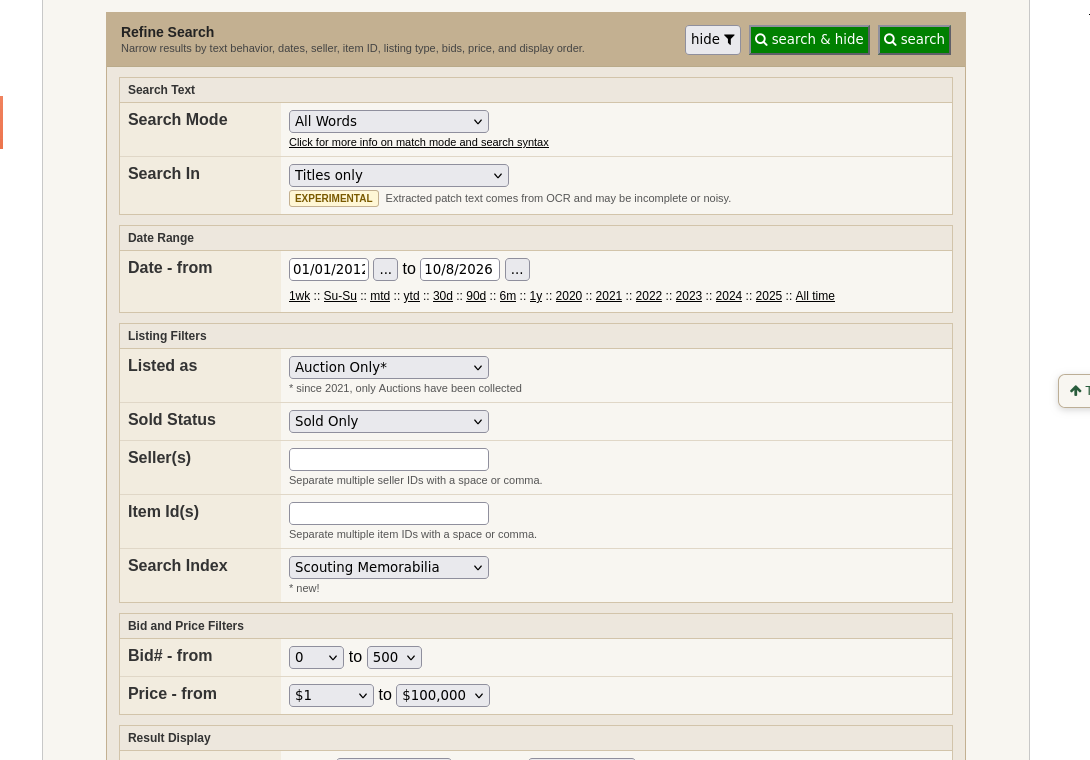
The Refine panel includes an option to search words recognized in auction photographs. This can reveal items with vague titles, but OCR can misread embroidered lettering.
Continue below for step-by-step instructions and examples ↓
OCR stands for optical character recognition: software attempts to read letters and numbers visible in photographs. BSPi describes image-text searching for some historical listings, particularly where titles are incomplete or items appear in lots.
For Scouting memorabilia, recognizable lodge numbers, event names, council names, or lettering on a patch can be valuable search clues—even when a seller did not type them into the listing title.
OCR is imperfect. Small lettering, unusual embroidery, poor focus, multiple items in one photo, and decorative type can produce missing or incorrect words. Treat OCR matches as leads to inspect, not definitive identifications.
OCR coverage is incomplete, and extracted lettering can contain mistakes.
Where OCR appears in Search
Choose Refine and look under Search Text → Search In. The interface labels extracted patch text as EXPERIMENTAL and warns that the text may be incomplete or noisy. This is a useful place to investigate wording that may appear in an auction photograph but not its title.
You can also search OCR directly in the main keyword field without opening Refine. See Search syntax: from keywords to OCR discoveries for exact, copyable field expressions and an overlooked-item example.