Resetting your password
← Previous · Guide home · Topic index · Download PDF · Next →
The recovery page is the place to begin when you cannot sign in. Follow the steps below rather than creating another account.
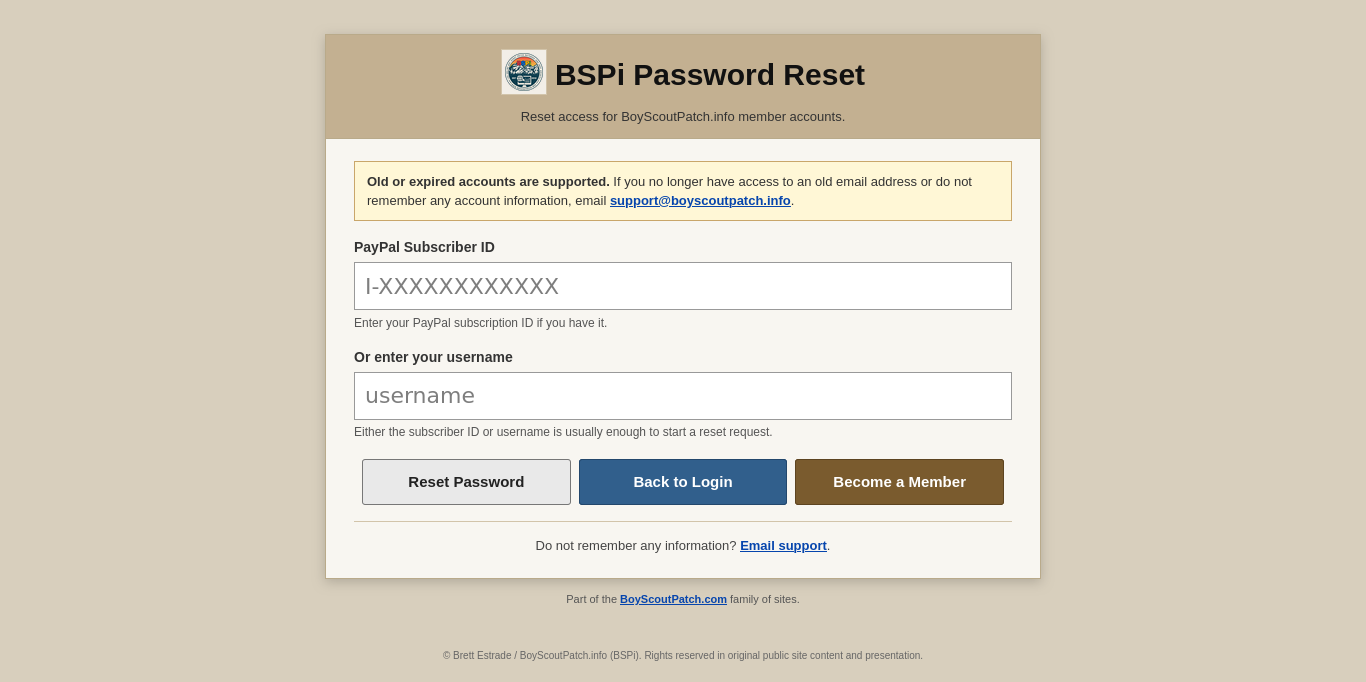
Use the password-reset page if you cannot sign in. Enter the account identifier requested by the form and follow the recovery instructions; never send your password to support.
Continue below for step-by-step instructions and examples ↓
If you cannot sign in, open the BSPi password reset page, also linked from the login page.
- Enter your subscriber ID or your username, as prompted by the reset form.
- Submit the reset request.
- If the account information matches a valid email address, look for the email with further instructions.
- If you cannot complete the process, contact support@boyscoutpatch.info.
The reset page says either a subscriber ID or username is usually sufficient. Do not send your current or proposed password to support. This page documents the publicly visible reset form; we have not submitted a live reset request.