What's New in BSPi
A short history of improvements we've been making to BSPi, newest first. These are changes that help you search, compare, organize, and research Scouting collectibles. Click any linked item for details and screenshots below.
Changelog
October 16, 2026
- Contact Support without leaving BSPi. Ask questions, report problems, or suggest improvements right from your account.
- Revisit past searches. Browse Search History, run a previous search again, or load it to make changes.
- Search faster with a cleaner toolbar. Go, History, search links, and Refine are easier to find.
- Refine searches in a convenient pop-up. Adjust filters without stretching out the Search Sales page.
- Clearer confirmations and error messages. Notifications are easier to recognize and don't linger unnecessarily.
- Get help with account questions. Settings now offers shortcuts for email, subscription, and security questions.
October 14–15, 2026
- See the sales behind a price chart. View each sale as a chart point, preview listing photographs, and display image thumbnails with connector lines.
- Switch between individual and monthly prices. Compare raw observations with average prices by month.
- Organize sales and Saved Items more easily. Improved selection, record details, and research workflows.
October 12, 2026
- Build and edit Price Guides with less work. Add multiple Saved Items, keep issue numbers in order, and inspect candidate sales before saving them.
October 9–11, 2026
- Explore a fuller illustrated Users Guide. New walkthroughs for historical sales, Saved Items, Price Guides, charts, annotations, and printing.
- Find your way around the docs. Easier navigation, screenshots, search examples, and a downloadable guide.
- Review improved Price Guide proof pages. Clearer printed layouts and draft markings.
Early October 2026
- Preview Price Guides before sharing them. A new proof view made it easier to review a guide's organization and sample sales before printing or making a PDF.
How we got here — since 2012
- Late 2012 — PatchTrends.com begins. The original service opened to collectors who wanted to learn from completed marketplace listings rather than relying only on asking prices.
- Over the following years — a growing collecting resource. The historical archive and search tools expanded, helping collectors compare sales and investigate the items behind them.
- More recently — BoyScoutPatch.info grows beyond searching. Saved Items, Price Guides, image-based research and more accessible member tools turned individual searches into a way to organize longer-term research.
- 2026 — a renewed focus on usability. Easier navigation, guided workflows, documentation and recent improvements above make the archive more approachable. For the longer story, visit About BSPi.
Older milestones are intentionally broad because the available repository history does not establish reliable public release dates for each feature.
October 16, 2026
Contact Support from inside BSPi {#oct-16-contact}
Use Contact Support in the sidebar to ask a question, suggest an improvement, or report a problem without opening a separate email app. You will see a confirmation when your message has been sent. If delivery fails, you can try again or contact support by email.
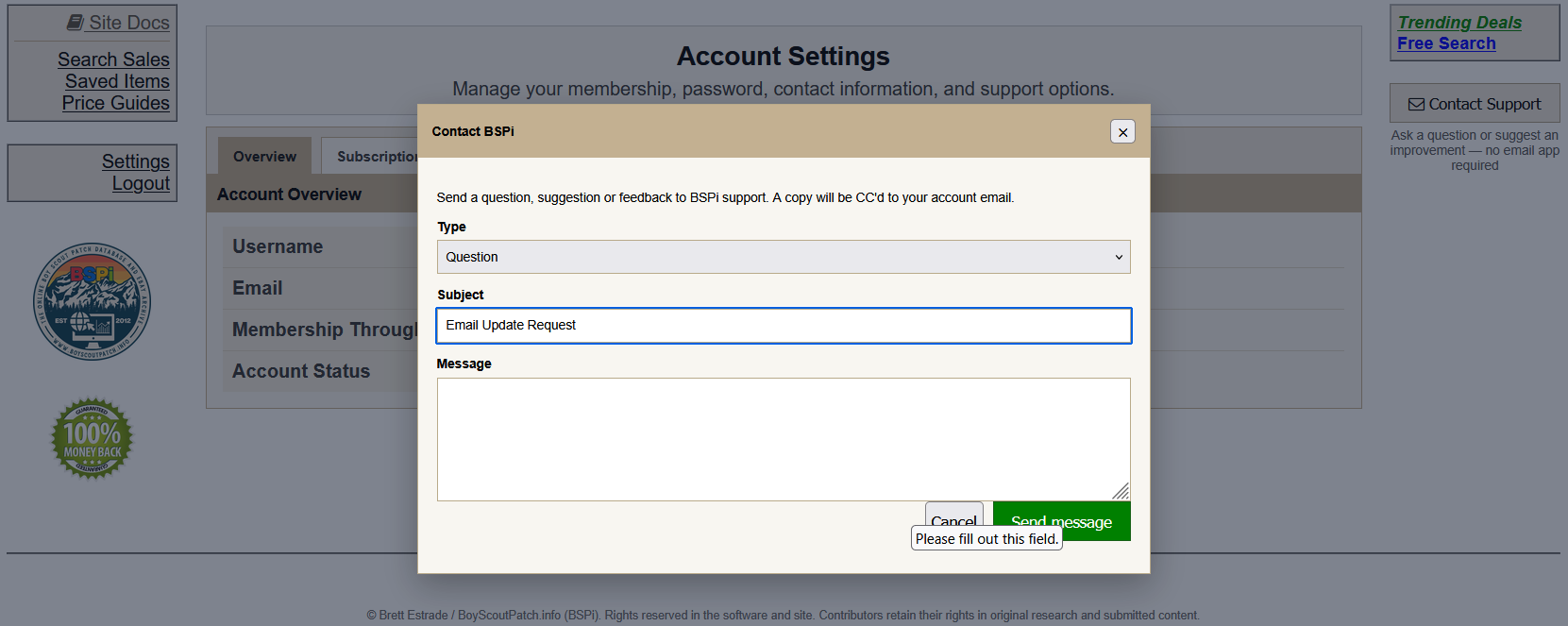
See Getting help for details. Public visitors and people who cannot sign in can still email support directly.
Search History and a compact search toolbar {#oct-16-history}
History is attached to the right side of the search input. Load restores a query and its filters without searching; Run searches the current archive again. Entries can be deleted or cleared; history is not promised to be permanent. The green Go button executes a search, while the combined share/bookmark action prepares a link you can copy or bookmark using your browser.
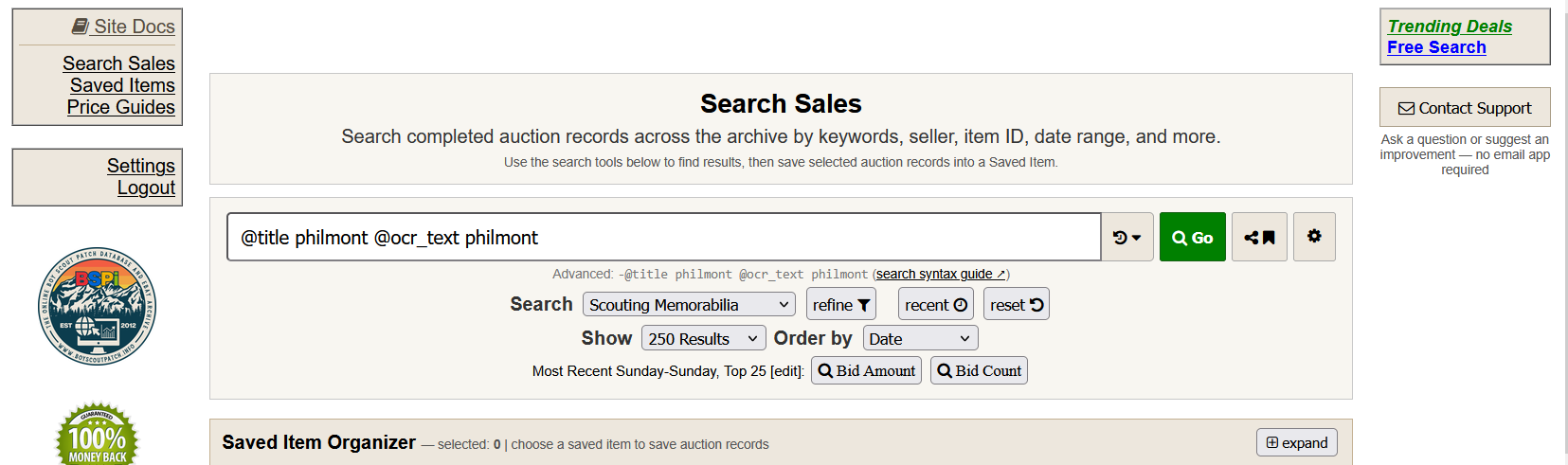
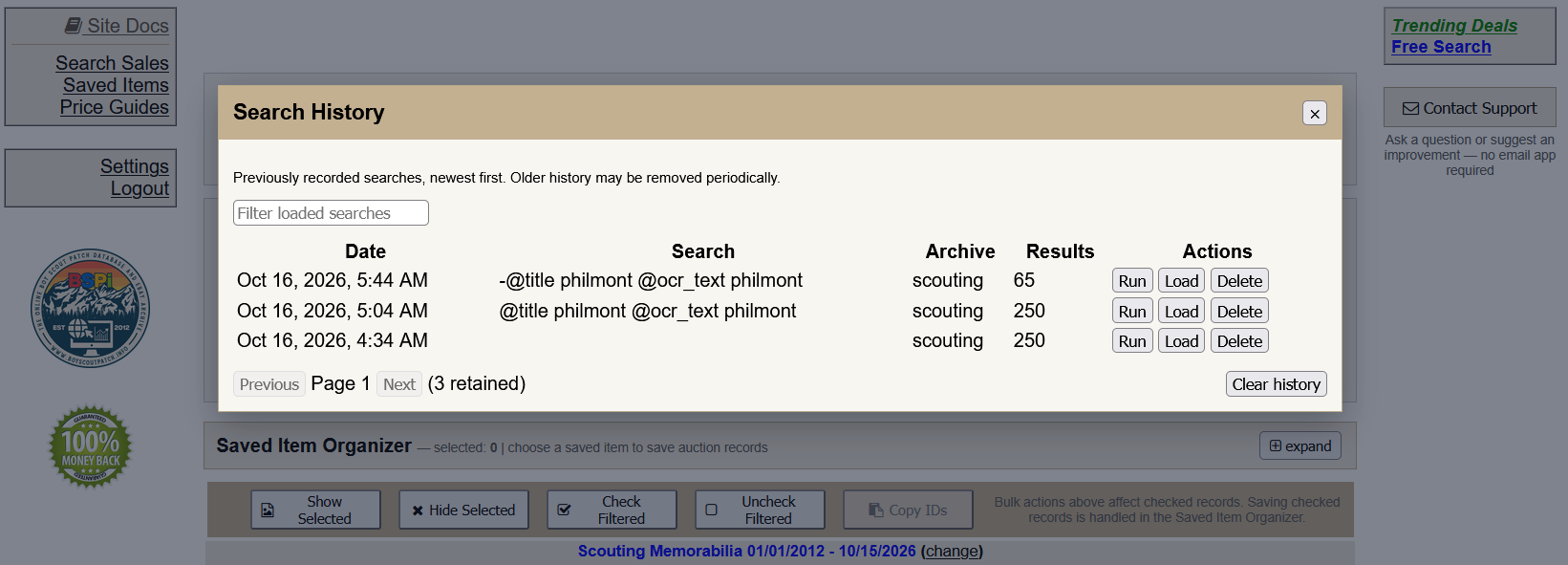
See Search Sales and Search shortcuts.
Refine Search and consistent notifications {#oct-16-refine}
The gear and the Refine button open the same modal for filters and search settings. Choosing Search executes the query and closes it. Search History Load, copied links, and successful messages now use temporary notifications, with a close control; errors remain visible until dismissed where appropriate.
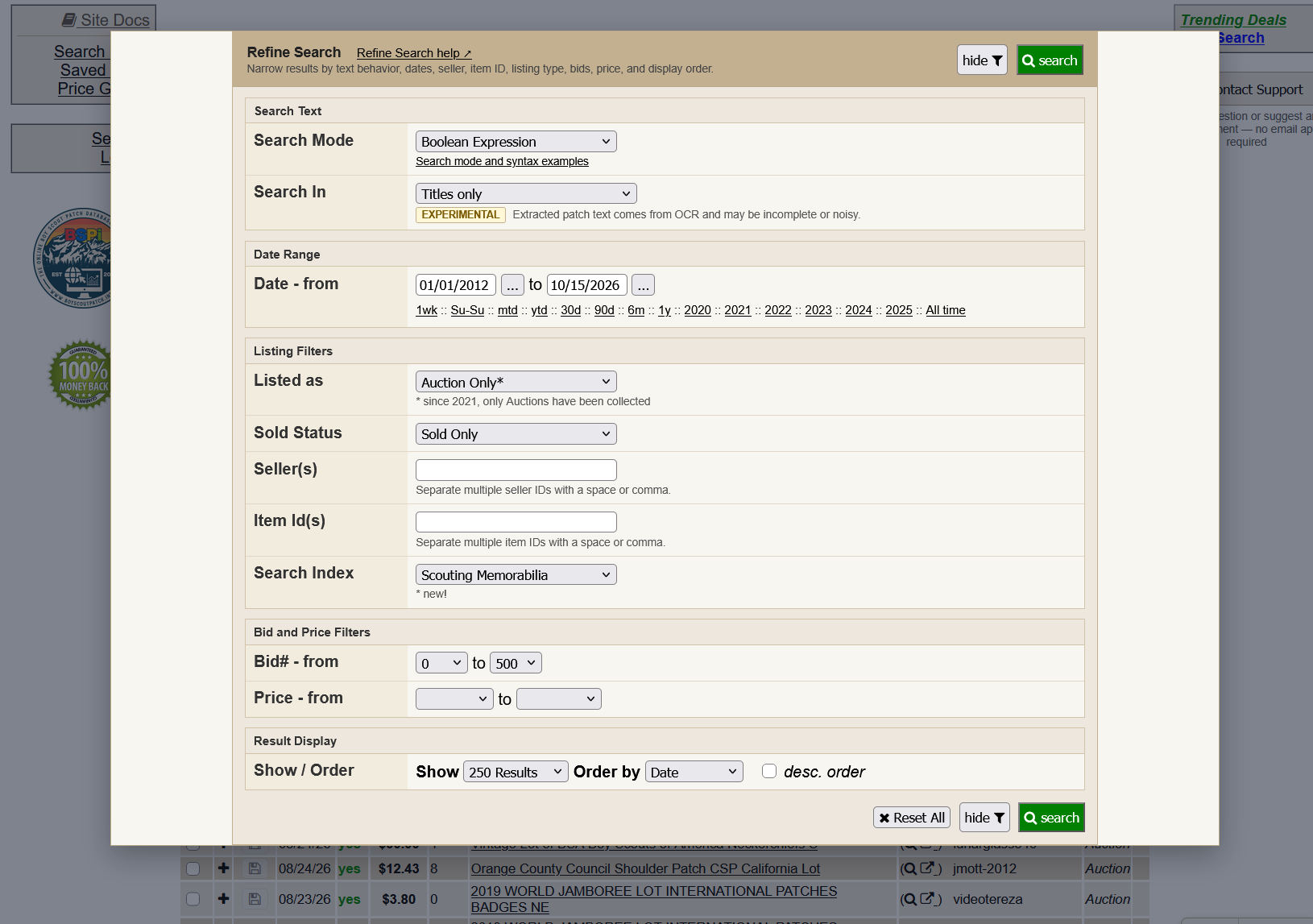
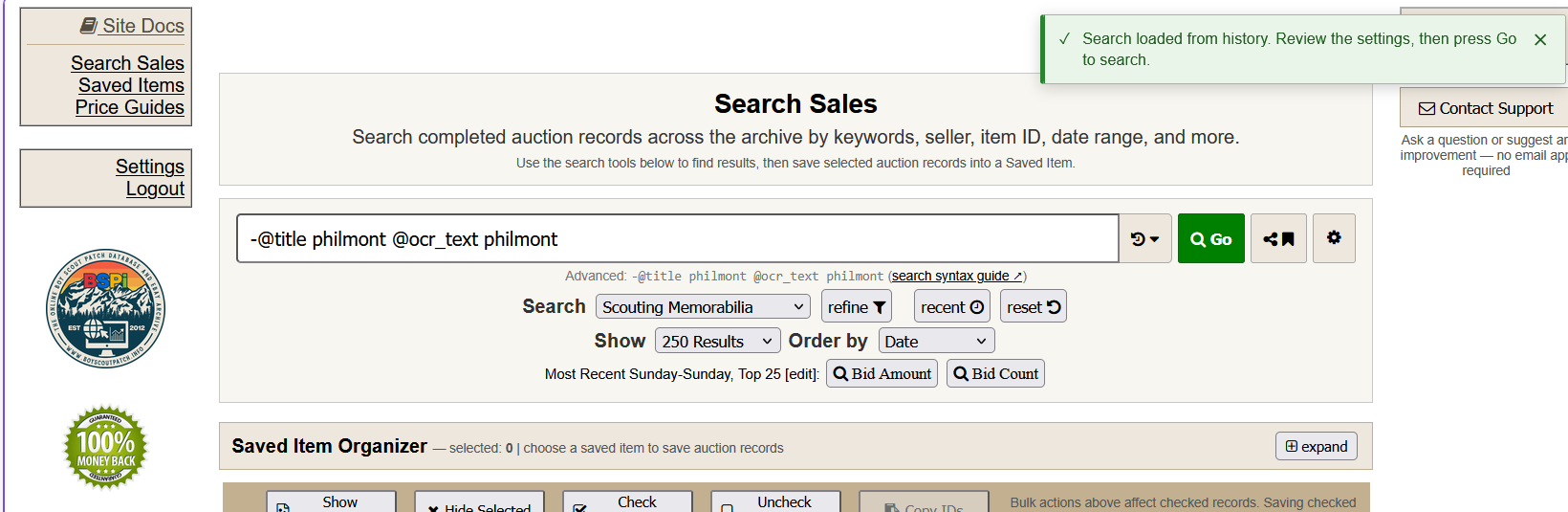
See Refining a Search.
Contextual contact options in Settings {#oct-16-settings}
Overview → request change starts an email-update inquiry; Subscription → Ask a question starts a billing question; Security offers a shortcut for reporting a possible account-security issue. The Support tab still lists the external email address, and the in-app form is available across member pages. Reporting a problem does not itself change your password or subscription.
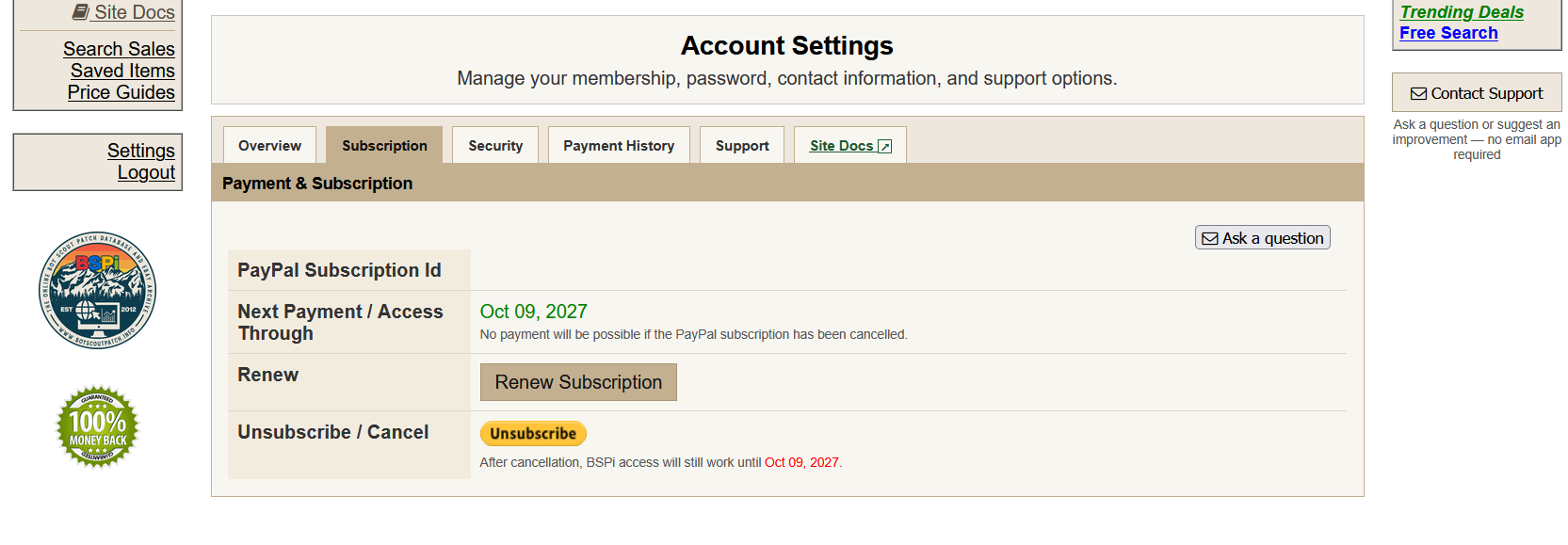
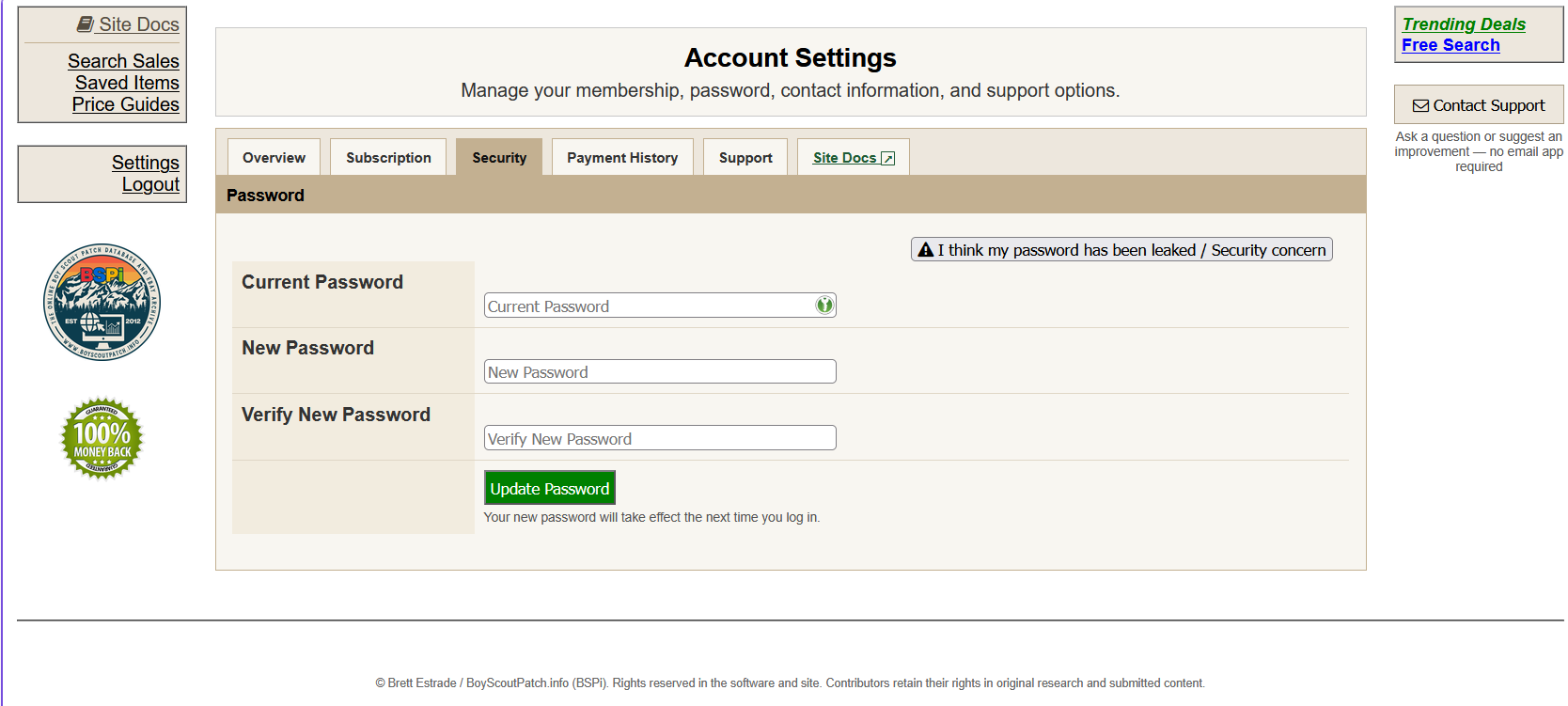
See Account Settings.
October 14–15, 2026
Individual sale charts and thumbnail evidence {#oct-14-charts}
Market Analysis can show each observation using Price Trend → Raw, or monthly averages using Month. Hovering a point previews its listing image. Show all point images places thumbnails around the chart with thin connector lines, helping associate plotted observations with archived images. Chart-image export is disabled while these HTML thumbnail overlays are enabled.
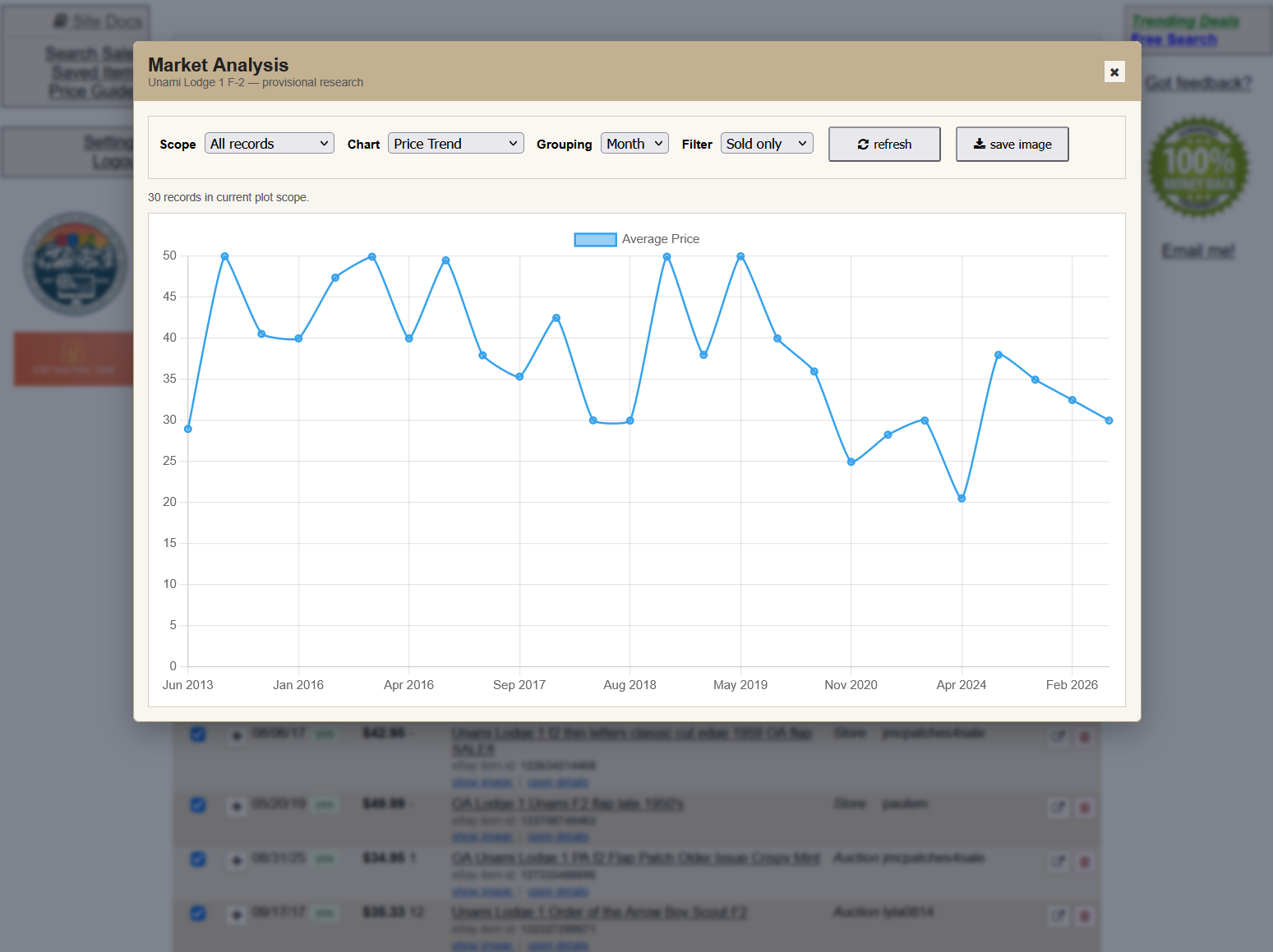
For an explanation of price trends, sample limitations and image overlays, see Market Analysis.
Guided organization of archival records {#oct-14-guides}
Saved Items group selected historical records, and Price Guides arrange multiple Saved Items for research and publication. The updated guide explains the manager, editor, proof view and how to distinguish provisional issue research from confirmed attribution or valuation.
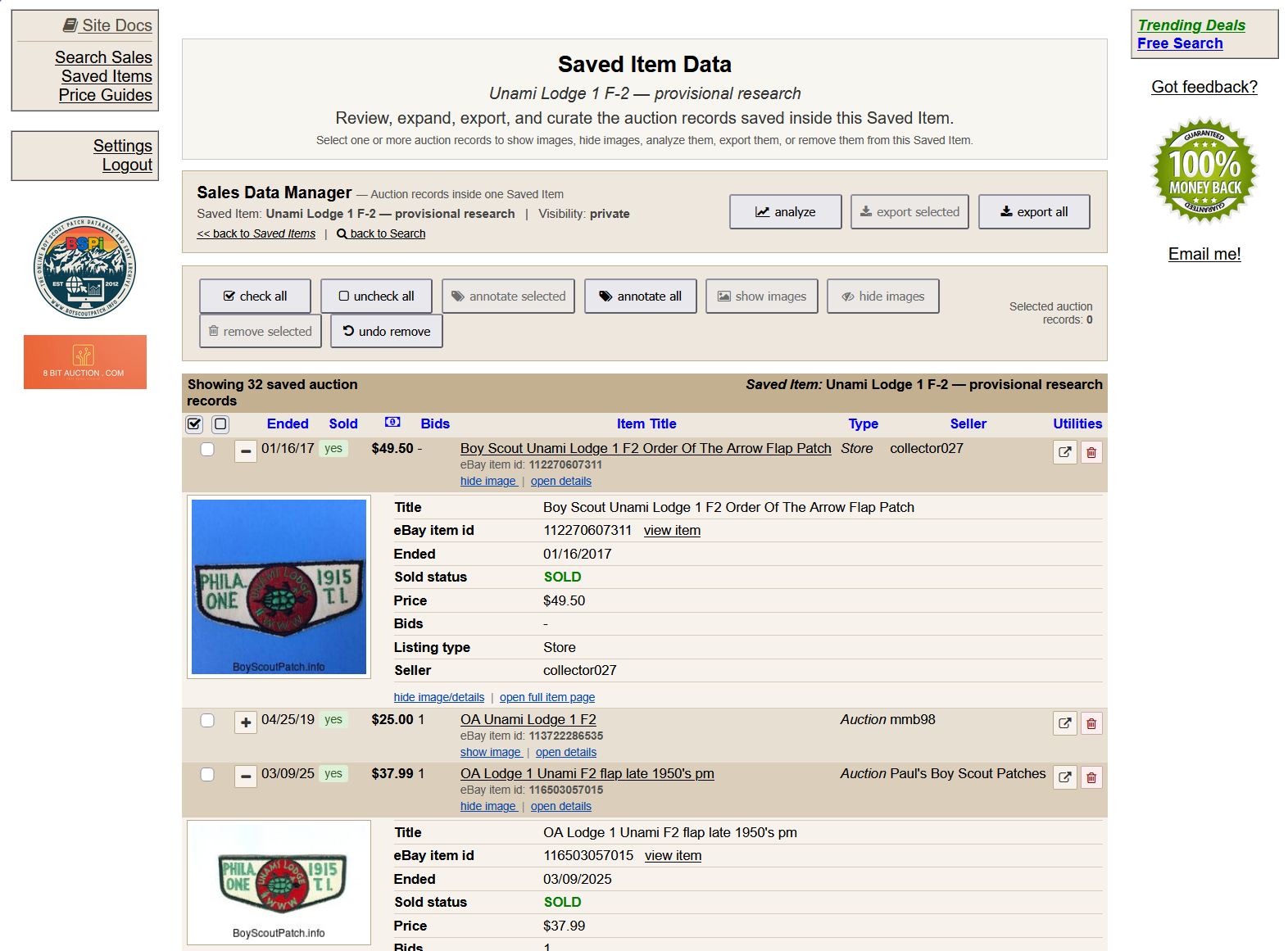
See Saved Item Data and Price Guides.
October 12, 2026
Price Guide and Saved Item research workflow {#oct-12-research}
BSPi's member research workflow now includes a simpler way to create collections of collectible issues, search one issue at a time, and deliberately attach archived sales. The following sections document features observed in the current authenticated member interface; their availability to other accounts still depends on account access and deployment.
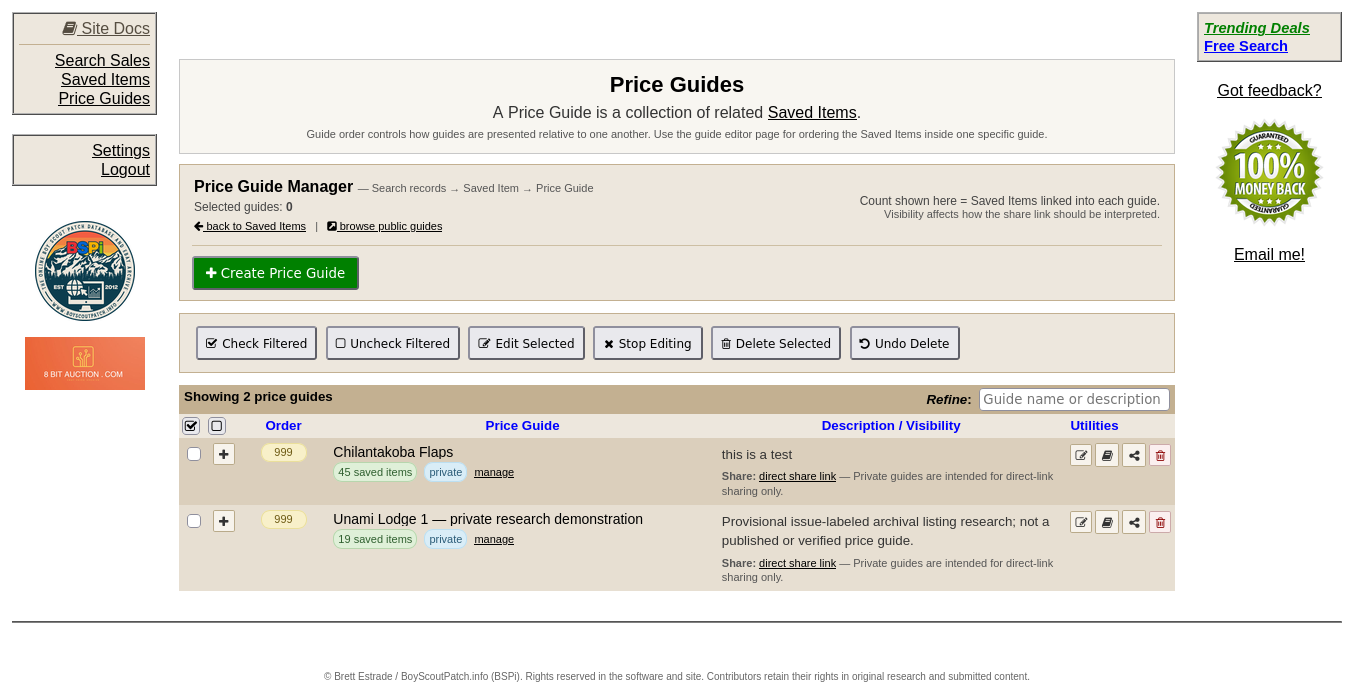
- Price Guide Manager: one visible Order field, more balanced guide title and description columns, and grouped Utilities. Click a guide title to manage its Saved Items.
- Bulk Add Saved Items: paste up to 50 issue definitions per batch, with optional search words. Different issues may share the same title. Successful creation clears/collapses the draft; it does not search automatically.
- Clickable Saved Item titles: open the item-specific data manager directly from a guide, then return to the same guide through contextual navigation.
- Find Sales modal: a prefilled, explicitly submitted simple search, normally capped at 50 candidates. Search results are not automatically associated.
- Clear candidate states: blue New rows, green Saved rows, single-record Save/Remove, and multi-selection. These operations affect Saved Item associations, never the archived originals.
- Progressive search help: when a phrase is too restrictive, a shorter phrase is suggested; selecting it edits the text only, requiring another deliberate search.
Follow the illustrated Price Guides, Saved Items, and Saved Item Sales Data chapters for the full workflow. These examples are provisional collector research, not independently authenticated price assessments.
Early October 2026
Reviewing a Price Guide before printing {#early-october-proof}
A proof view was added to help collectors review a guide's organization and historical sale examples before printing or generating a PDF. This is a preview of research, not a certification of issue identification or market value. Learn more in Price Guide Proof and PDF.
October 9–11, 2026
An illustrated guide for collectors {#earlier-guide-improvements}
The Users Guide grew with beginner-friendly search examples, a screenshot tour, practical collecting use cases, and illustrated explanations of Saved Items, charts, image annotation, and Price Guide proofs. Navigation, document styling, printable layouts and image descriptions were also improved.
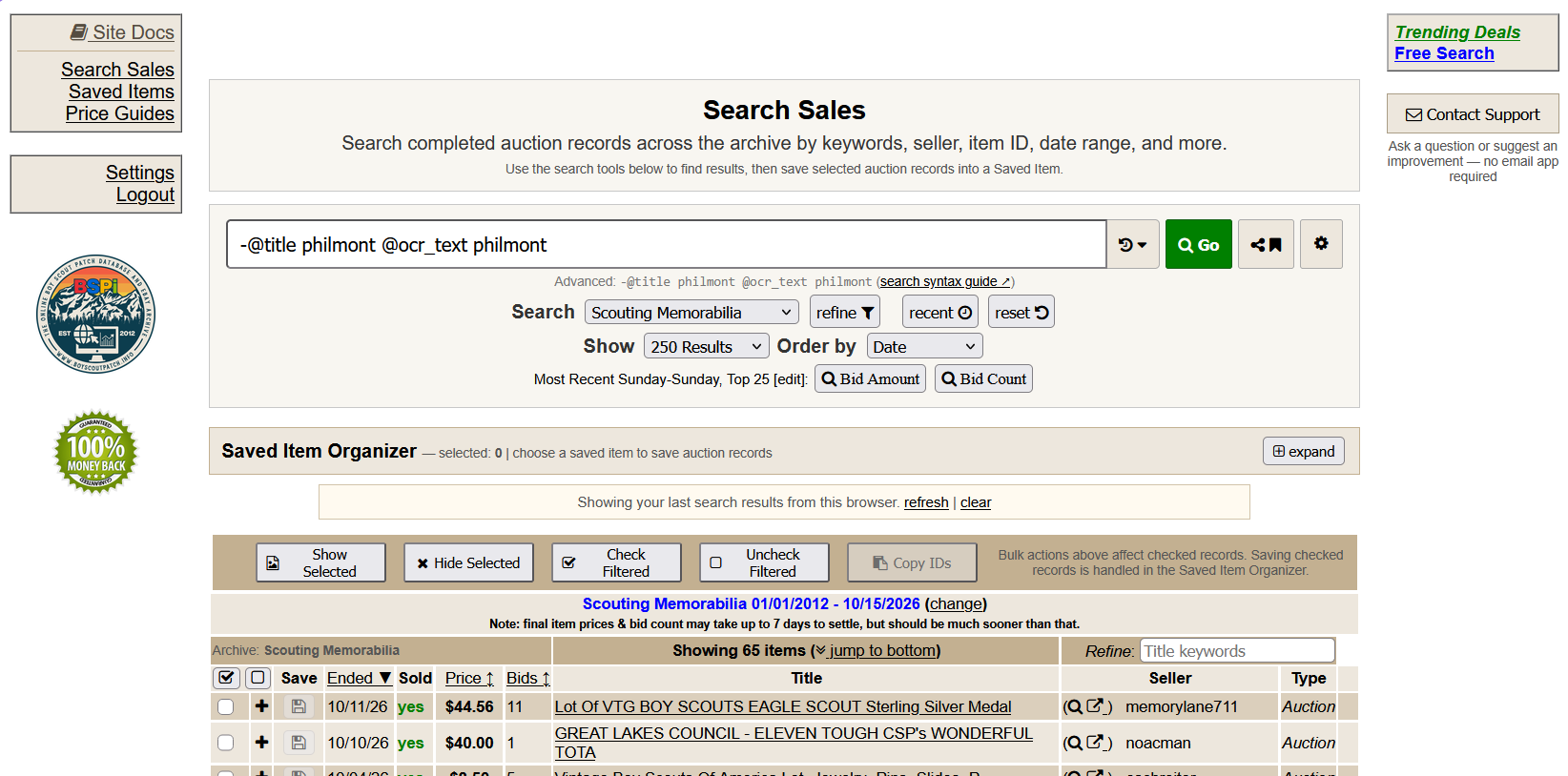
See the Quick Start, Screenshot Tour, and Price Guide proof and PDF.
These release notes highlight user-visible changes rather than guaranteeing that every archived item or historical record is complete. See Getting help to report an issue.