Quick Start
New to BSPi? Follow these short steps, then continue into the Screenshot Tour to see the complete member interface.
- Sign in and open Search Sales.
- Search the archive: type a recognizable patch name or lodge number and click the green Go button.
- Refine using the gear if you need dates, sold status, seller, bid range, title or OCR search.
- Inspect results: check whether a listing actually sold; open its photos and details before comparing prices.
- Save comparable evidence: select records, choose a Saved Item, and use the floppy-disk action.
- Analyze sales: compare Raw observations or monthly averages; inspect thumbnail evidence where available.
- Ask for help using the in-app Contact Support button.
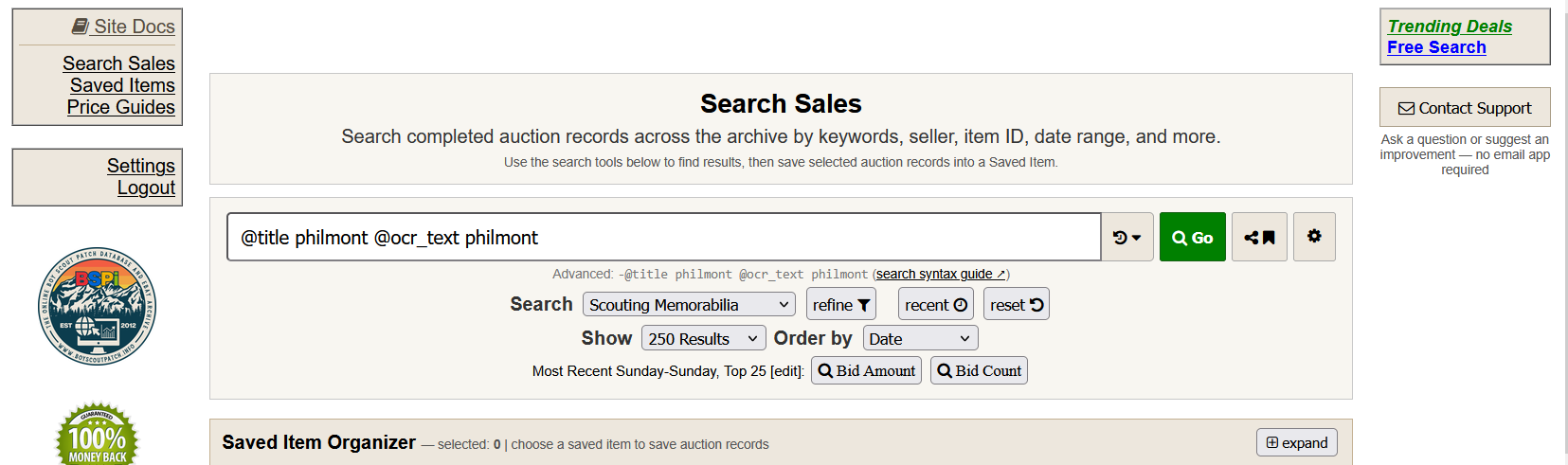
The History dropdown is part of the search field. Load restores earlier settings; Run executes a fresh search against the archive.
See it in pictures
Continue directly to the Screenshot Tour. It walks through searching, historical sales, expanded records, image inspection, and research tools.